
Wondering which pages perform worse over time? Content decay will tell you! Run this report from within the GSC Search Analytics report, either via the GSC action bar or via the context menu.
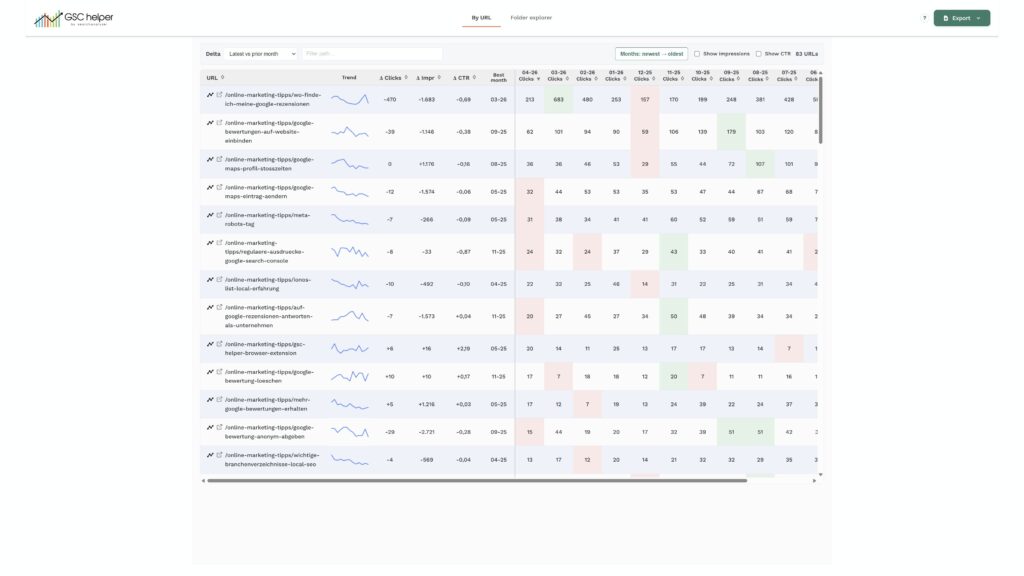
Based on your configuration, the performance for each available full month is requested and displayed in a comprehensive table.
Highlights
- Find pages that lose traffic: See how your pages perform over time—and start optimizing them in Content Optimization
- Compare traffic of single periods: Easily compare the performance of two months with each other
- Identify the best (and worst) performing month: See when each page had its peak—and how it developed since then
