
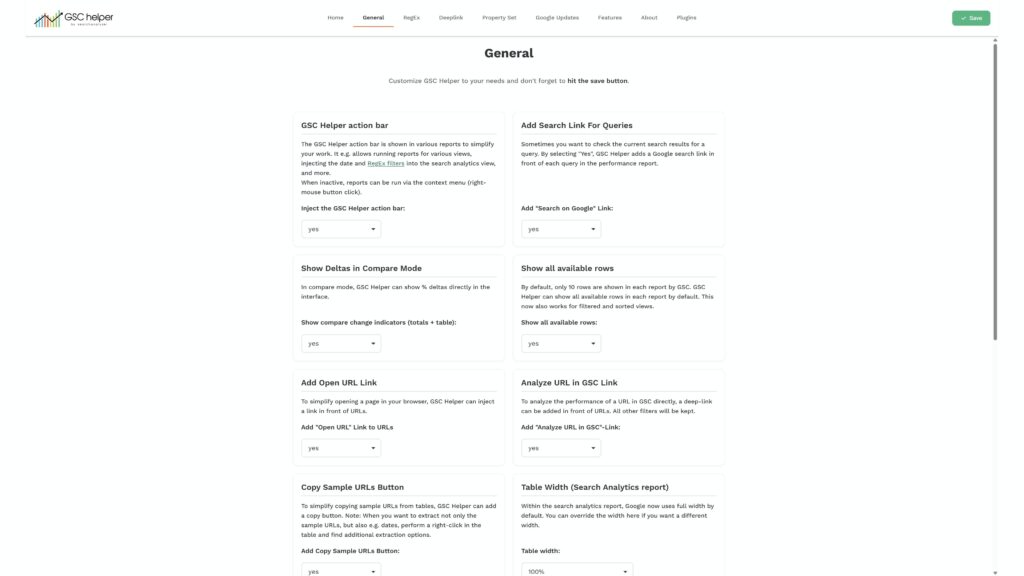
You can access the options menu by either right-clicking on the extension logo or using the context menu. In the options, you can configure interface-altering features of GSC Helper, set up your own RegEx filters, add Google Update dates, configure the deep link, and set up property sets.
Highlights
- Add handy functions to the GSC interface: Define if GSC Helper should show, e.g., the search icon in front of queries, show all available rows, or add the „analyze in GSC“ icon in front of URLs.
- Adjust the default table width: Define if tables should use full width in the GSC interface.
- Define your regex: Set up and sort your regex filters to apply them via the „GSC Helper action bar“ or the context menu in the performance report.
- Set up the GSC deep link: Define the default behavior of the GSC Helper logo when you are outside of Google Search Console. A click will open the currently visited page in GSC with the configuration of your choice.
- Set up property sets: To reuse the same set of properties in the report downloader, define groups of properties.
- Sync Google Updates: Google Updates can be shown as additional data points in the „by date“ report in search analytics. Update or create new Google Update events.
