Looking for additional context for your external and internal link data? The Link Report is here to help! It does not only aggregate URL data to folders but can also include Search Console performance data for additional insights.
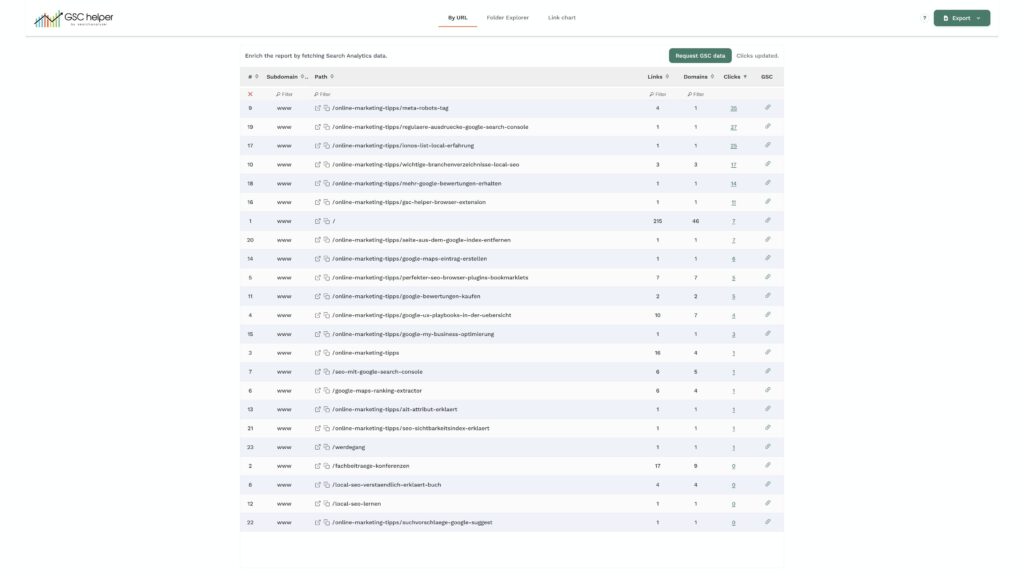
Note: Keep in mind that a) you only see up to 1,000 samples, and b) the counts don’t say anything about the quality of the links. Google may report a domain popularity of 10+ for a URL, but all those links are spam. Nevertheless, verify if pages receive too many/few internal links based on your business priorities and if you can better use „external link hubs“ to boost important pages through internal links.
Highlights
- Aggregate URL data by folder: By automatically extracting folders from URLs, you can identify link hubs much faster.
- Add performance data to URLs: Just looking at the raw number of links is not enough—that’s why you can request performance data for additional context.
Link chart
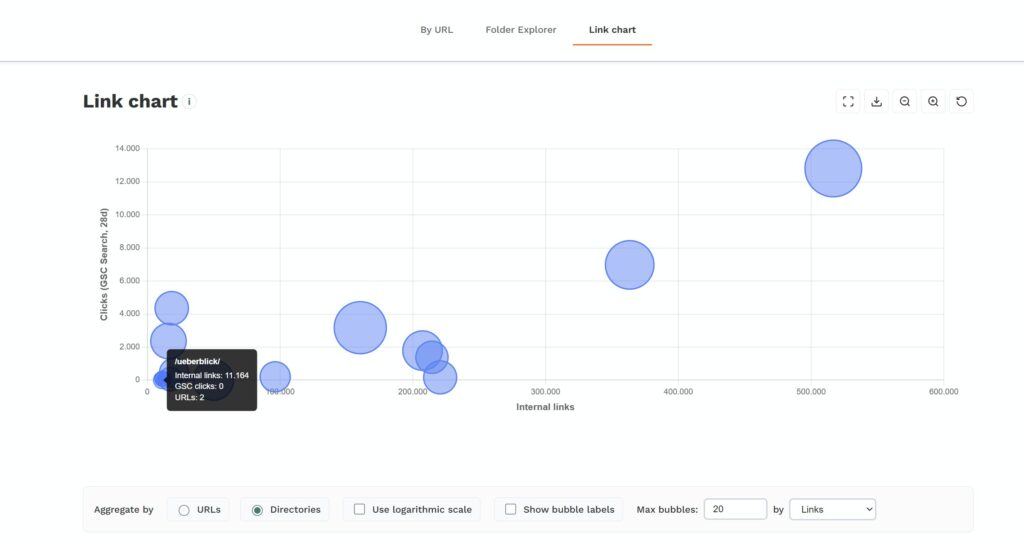
The link chart visualizes the data either by URL or folder for you. While you may ask yourself what the visualization shows you, it becomes powerful when you get the concept: It shows you how well (internally/externally) a page or directory is linked and how well it performs.
Pages or folders with many incoming links but little performance may be overlinked or suffer from strong competition or weak onsite optimization. This issue is a classic „it depends“ topic. 😉 Ask yourself if adjustments to that page(s) are needed.